
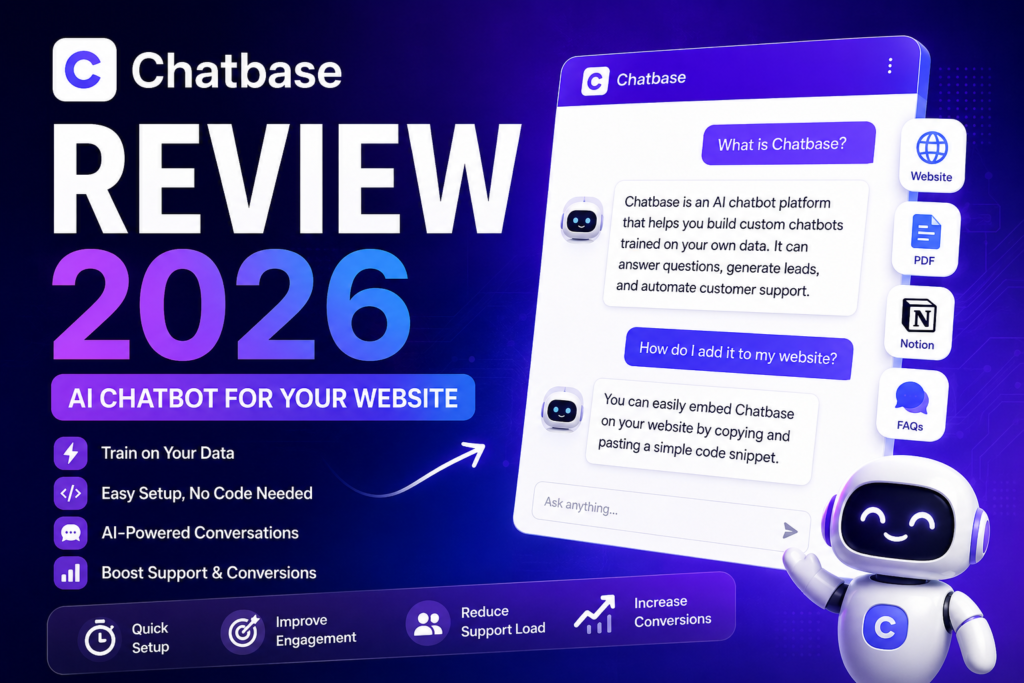
Chatbase Review 2026: Is This AI Customer Support Chatbot Worth It?
AI chatbots are becoming essential for modern businesses. From customer support to lead generation, companies are increasingly using AI to automate conversations, improve user experience, and boost conversions.
One of the fastest-growing platforms in this space is Chatbase — an AI chatbot builder that allows businesses to create custom GPT-powered chatbots trained on their own data.
But is Chatbase actually worth using in 2026?
In this in-depth review, we’ll cover everything you need to know about Chatbase, including its features, pricing, pros and cons, real-world use cases, and whether it’s the right AI chatbot solution for your website or business.
What Is Chatbase?
Chatbase is an AI chatbot platform that enables users to build custom chatbots trained on their own content and knowledge base.
Instead of relying on pre-written chatbot scripts, Chatbase uses advanced AI models to generate human-like responses based on your uploaded data.
You can train your chatbot using:
- Website URLs
- PDFs
- Text documents
- FAQs
- Notion pages
- Documentation
- Product manuals
- Knowledge bases
Once trained, the chatbot can answer customer questions naturally in real time.
The biggest advantage is simplicity — you can create and deploy a chatbot in minutes without writing code.
How Does Chatbase Work?
Chatbase works by converting your content into an AI-powered knowledge base.
The setup process is straightforward:
- Upload your content or enter your website URL
- Chatbase scans and indexes the data
- The AI learns your information
- Embed the chatbot on your website
After training, the chatbot can answer questions related to your business, products, services, or documentation.
For example, an ecommerce brand could train Chatbase using:
- Product pages
- Shipping policies
- Return policies
- FAQs
- Skincare guides
The AI assistant could then help customers choose products, answer shipping questions, and provide recommendations automatically.
Key Features of Chatbase
1. No-Code AI Chatbot Builder
One of the main reasons Chatbase has become so popular is its no-code experience.
You don’t need programming skills to build a professional AI chatbot.
Everything is managed through a clean dashboard where you can:
- Upload data
- Customize the chatbot
- Configure behavior
- Deploy to your site
This makes Chatbase accessible even for beginners.
2. Train AI on Your Own Data
Unlike generic AI chatbots, Chatbase allows businesses to create highly personalized AI assistants.
The chatbot learns from your own content, which improves response accuracy and relevance.
This is especially useful for:
- SaaS companies
- Ecommerce stores
- Agencies
- Affiliate websites
- Educational platforms
Instead of generic answers, the chatbot responds using your specific business information.
3. Multiple Data Sources Supported
Chatbase supports a wide variety of content formats, including:
- Website URLs
- PDFs
- DOCX files
- TXT files
- Notion pages
- Sitemaps
- FAQs
This flexibility makes it easy to centralize information into a single AI assistant.
4. Easy Website Integration
Deploying Chatbase is extremely simple.
Users can integrate the chatbot using:
- Embed scripts
- iframe
- WordPress integration
The setup process usually takes only a few minutes.
This is particularly useful for website owners who want a fast AI solution without hiring developers.
5. AI Lead Generation
Chatbase is not just for support.
The platform can also help collect leads by asking visitors for:
- Email addresses
- Phone numbers
- Contact forms
- Inquiry details
This transforms the chatbot into a sales and conversion tool instead of just a support assistant.
6. Custom Branding
Users can customize the chatbot appearance to match their brand identity.
You can modify:
- Colors
- Chat icon
- Welcome message
- Fonts
- Avatar
- Theme
This creates a more professional and consistent user experience.
Chatbase Pros
Extremely Easy to Use
Chatbase is one of the most beginner-friendly AI chatbot platforms available today.
Even non-technical users can create and launch a chatbot quickly.
Fast Setup Process
Many AI chatbot tools require complex configuration, but Chatbase is surprisingly fast.
You can go from signup to live chatbot in under 15 minutes.
Natural AI Responses
The AI responses feel conversational and human-like compared to traditional rule-based chatbots.
This improves customer experience significantly.
Great for Small Businesses
Chatbase works particularly well for:
- Small businesses
- Content creators
- Bloggers
- Ecommerce stores
- Affiliate marketers
- Startups
It offers a strong balance between simplicity and functionality.
Versatile Use Cases
You can use Chatbase for:
- Customer support
- Product recommendations
- FAQ automation
- Documentation assistants
- Internal knowledge bases
- Lead generation
This versatility makes it suitable for multiple industries.
Chatbase Cons
Pricing Can Get Expensive
One downside is the pricing structure.
As your chatbot traffic and conversations increase, costs can rise quickly.
For small websites with limited budgets, this may become an issue.
AI Hallucinations Still Happen
Even though Chatbase uses your own data, AI errors can still occur.
Sometimes the chatbot may generate incorrect or misleading responses.
This means ongoing monitoring and optimization are important.
Quality Depends on Your Data
The chatbot is only as good as the information you provide.
Poor documentation or incomplete FAQs can negatively affect chatbot performance.
For best results, businesses should upload well-structured and detailed content.
Vietnamese Language Support Isn’t Perfect
Chatbase handles English exceptionally well, but support for Vietnamese and some other languages is still improving.
Complex phrasing or slang may occasionally confuse the AI.
Who Should Use Chatbase?
Ecommerce Brands
Online stores can use Chatbase to:
- Recommend products
- Answer shipping questions
- Handle returns
- Provide customer support
This can reduce support workload significantly.
SaaS Companies
SaaS businesses often have large documentation libraries.
Chatbase can turn those documents into an interactive AI assistant for onboarding and support.
Affiliate Marketers
Affiliate marketers can use Chatbase to improve conversions.
For example, a tech review website could deploy an AI assistant that recommends tools based on visitor needs.
This creates a more interactive buying experience.
Agencies
Marketing agencies can offer AI chatbot services to clients using Chatbase.
This can create new revenue streams and increase client retention.
Content Creators
Bloggers and creators can use AI chatbots to help visitors navigate content more efficiently.
This improves engagement and user experience.
Real Experience Using Chatbase
In real-world testing, Chatbase performs surprisingly well for quick deployment and ease of use.
The onboarding experience is smooth, and the dashboard feels modern and intuitive.
After uploading website content, the chatbot was able to answer:
- Product questions
- Pricing details
- FAQ requests
- Feature explanations
with decent accuracy.
Things that stood out positively:
- Fast training process
- Clean interface
- Easy customization
- Smooth embedding
- Good AI response quality
However, there are still limitations:
- Large websites may require optimization
- Some advanced questions confuse the AI
- Costs can increase with heavy usage
Overall, the experience is very good for small and medium-sized businesses.
Chatbase Pricing
Chatbase Pricing offers several plans depending on message volume and chatbot usage.
The platform typically includes:
- Free trial access
- Starter plans for smaller websites
- Higher-tier plans for larger businesses
Whether the pricing is worth it depends on your goals.
If you want to:
- Automate customer support
- Reduce manual workload
- Increase conversions
- Improve user experience
then Chatbase can provide strong value.
Chatbase vs Competitors
Chatbase vs Intercom
Chatbase
- Easier setup
- More AI-focused
- Lower entry cost
- Better for smaller businesses
Intercom
- More advanced CRM features
- Enterprise-focused
- Stronger automation
- Much more expensive
Chatbase vs Custom GPTs
Chatbase
- Better website embedding
- Analytics support
- Easier deployment
- Business-oriented features
Custom GPTs
- More flexible customization
- Better for experimental workflows
- Less optimized for website support
Chatbase vs Tidio
Chatbase
- Stronger AI capabilities
- Better knowledge base integration
Tidio
- Better traditional live chat
- Stronger manual automation flows
How to Create a Chatbot With Chatbase
Step 1: Create an Account
Visit:
Step 2: Upload Your Data
You can upload:
- Website URLs
- PDFs
- FAQs
- Text files
- Documentation
Step 3: Train the AI
Chatbase will scan and process your content automatically.
Step 4: Customize the Chatbot
Adjust branding elements like:
- Theme
- Colors
- Welcome message
- Avatar
Step 5: Embed on Your Website
Copy the embed code and paste it into your website.
That’s it.
Tips for Using Chatbase Effectively
Create Detailed FAQs
The more structured your content is, the better the AI responses will be.
Upload Comprehensive Documentation
Don’t just upload your homepage.
Include:
- FAQ pages
- Product pages
- Policies
- Help documentation
Monitor Conversations Regularly
Review conversations to identify:
- Incorrect responses
- Missing information
- Repeated customer questions
This helps improve chatbot performance over time.
Optimize the Welcome Message
A strong welcome message can improve engagement.
Examples:
- “Need help finding the right product?”
- “Ask me anything about pricing.”
- “Looking for the best skincare routine?”
Is Chatbase Good for SEO?
Indirectly, yes.
Chatbase itself does not directly improve rankings, but it can positively impact:
- User engagement
- Time on site
- Customer experience
- Conversion rates
When users find information faster, they’re more likely to stay on your website longer.
However, avoid:
- Aggressive popups
- Blocking website content
- Poor mobile experiences
Is Chatbase Worth It in 2026?
If you need:
- AI customer support
- Website chatbot automation
- AI sales assistants
- Lead generation tools
then Chatbase is absolutely worth considering.
Its biggest strengths are:
- Ease of use
- Fast deployment
- No coding required
- Natural AI conversations
- Flexible integrations
While pricing and occasional AI inaccuracies remain drawbacks, Chatbase is still one of the best AI chatbot platforms for small businesses and creators in 2026.
Final Verdict
Chatbase is an excellent AI chatbot platform for businesses that want a simple yet powerful way to automate customer interactions.
It stands out because of its:
- Beginner-friendly setup
- Strong AI capabilities
- Website integration
- Custom knowledge training
- Professional UI
Whether you run an ecommerce store, SaaS startup, affiliate website, or content platform, Chatbase can help improve customer support, increase engagement, and automate repetitive tasks.
For businesses looking to enter the AI chatbot space without technical complexity, Chatbase is one of the strongest options available today.