SmartSuite
REVIEW 2026
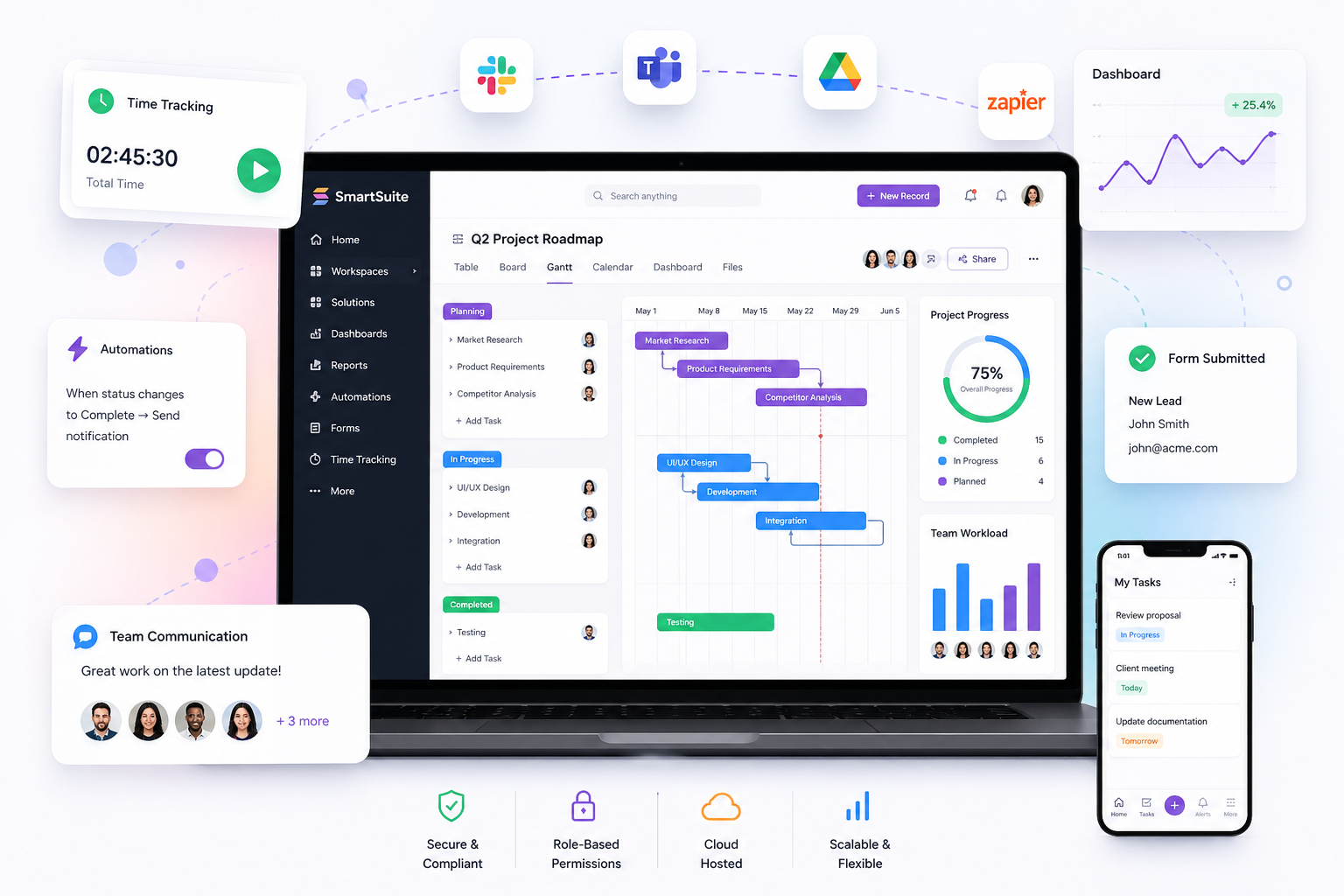
SmartSuite is an all-in-one Work OS that helps teams manage projects, track time, collaborate, and automate workflows in a single platform.
8.0

Overall

👌

7.8

Ease

⚙️

8.5

Features

💰

8.0

Value

🎧

7.5

Support

Start Free Trial Book Demo
No credit card required
Free signup in seconds
Trusted by teams worldwide to streamline operations and scale faster
Microsoft
airbnb
Google
Spotify
amazon
HubSpot

Powerful Features to Transform Your Workflow

Build Workflows Without Coding

Create fully customized workflows using SmartSuite's intuitive drag-and-drop interface.

Centralize Everything

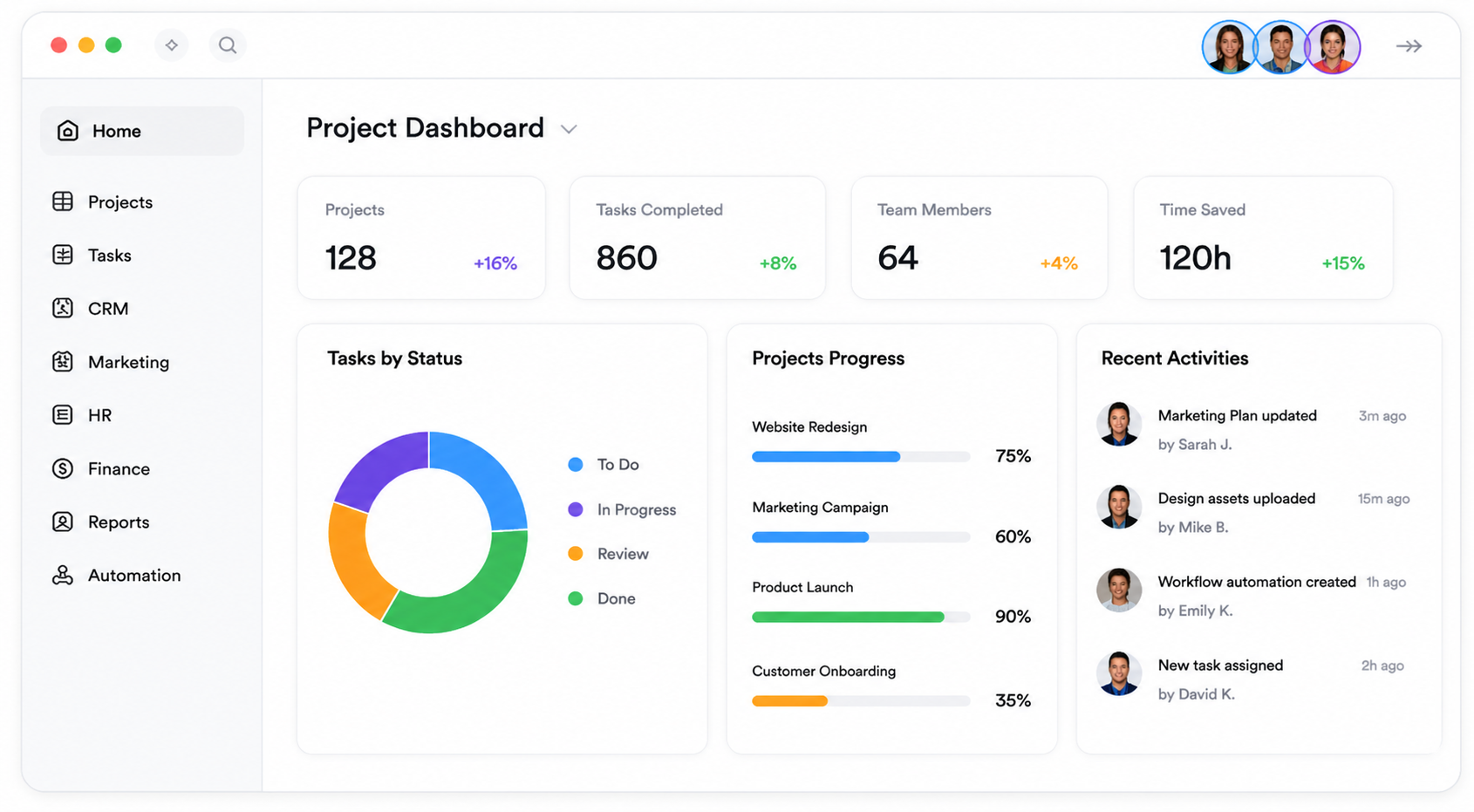
Store projects, CRM data, tasks, documents, approvals, and communications in one organized platform.

Automate Repetitive Tasks

Save hours every week with automation rules, reminders, approvals, and integrations.

Real-Time Collaboration

Collaborate seamlessly with comments, file sharing, task tracking, and live updates.

Advanced Reporting & Dashboards

Get instant visibility into your business performance with customizable dashboards.

USER EXPERIENCE
  • Flexible structure: Workspace → Solutions → Table
  • 40+ data field types
  • 8+ views: Gantt, Kanban, Calendar, Timeline
  • 200+ ready templates
  • No-code automation builder
  • Modern & customizable UI
⭐ New users may need 1–2 weeks to fully adapt.
DETAILED INFORMATION

Integrations

Slack · Google · Zapier

Support

Email · Live Chat · AI Bot

Setup Time

1–2 weeks

Best For Teams

5–100+ users

Security & Performance

Advanced permissions, strong data protection, and reliable system performance.

ADVANTAGES
  • Unified platform: project management, time tracking, communication, documentation, automation, and GRC in one system.
  • Deeply integrated GRC toolkit for risk management and compliance.
  • Built-in time tracking eliminates the need for external tools.
  • Integrated communication keeps all discussions in one place.
  • Affordable pricing for small and mid-sized teams.
  • 200+ templates with strong customization options.
CONSIDERATIONS
  • The number of user reviews is still relatively small.
  • Support is limited to US business hours; no phone support yet.
  • AI usage requires your own OpenAI API after 200 free requests.
  • New users may need time to fully understand the system structure.
How SmartSuite Works
Step 1

Create Workspace

Set up your workspace and structure in minutes.

Step 2

Build Workflow

Design processes and databases easily.

Step 3

Invite Team

Add members and manage roles instantly.

Step 4

Automate & Scale

Automate tasks and grow operations fast.

Why Teams Love SmartSuite
Improve productivity across departments
Reduce operational bottlenecks
Replace multiple tools in one platform
Increase visibility and accountability
Scale workflows as your business grows

Project Management

CRM & Sales

Client Management

IT & Product

Marketing Campaign

Business Process

Human Resources

More

What Users Are Saying

Real feedback from teams using SmartSuite

David Miller

Project Manager
★★★★★
SmartSuite helped us centralize everything. We replaced 3 tools and improved team productivity almost instantly.
Productivity

Sophia Nguyen

Marketing Lead
★★★★★
The automation features saved us hours every week. Campaign tracking and reporting are now effortless.
Automation

James Carter

Operations Director
★★★★☆
The GRC capabilities are impressive. It gives us better control over risk and compliance workflows.
GRC

Emily Tran

HR Manager
★★★★★
Internal communication and task tracking in one place made collaboration much smoother for our HR team.
Collaboration

Michael Lee

Startup Founder
★★★★★
Perfect for growing teams. It scales with us and keeps everything organized without complexity.
Scalability
⚡ Limited Free Access – Start Before It Ends

Ready to Simplify Your Work and Scale Faster?

Stop juggling multiple tools. Start managing your workflows, projects, and team in one powerful platform.

✔ No credit card required   •   ✔ Get started in minutes   •   ✔ Free access available for a limited time

Leave a Comment

Your email address will not be published. Required fields are marked *

Scroll to Top